
Routes · 01
Single
One named approver clears the request. The simplest path, used for low-risk record types where one signature is enough.
Submit. Route. Approve. Audit. One controlled path for every change to a record that matters, every time.
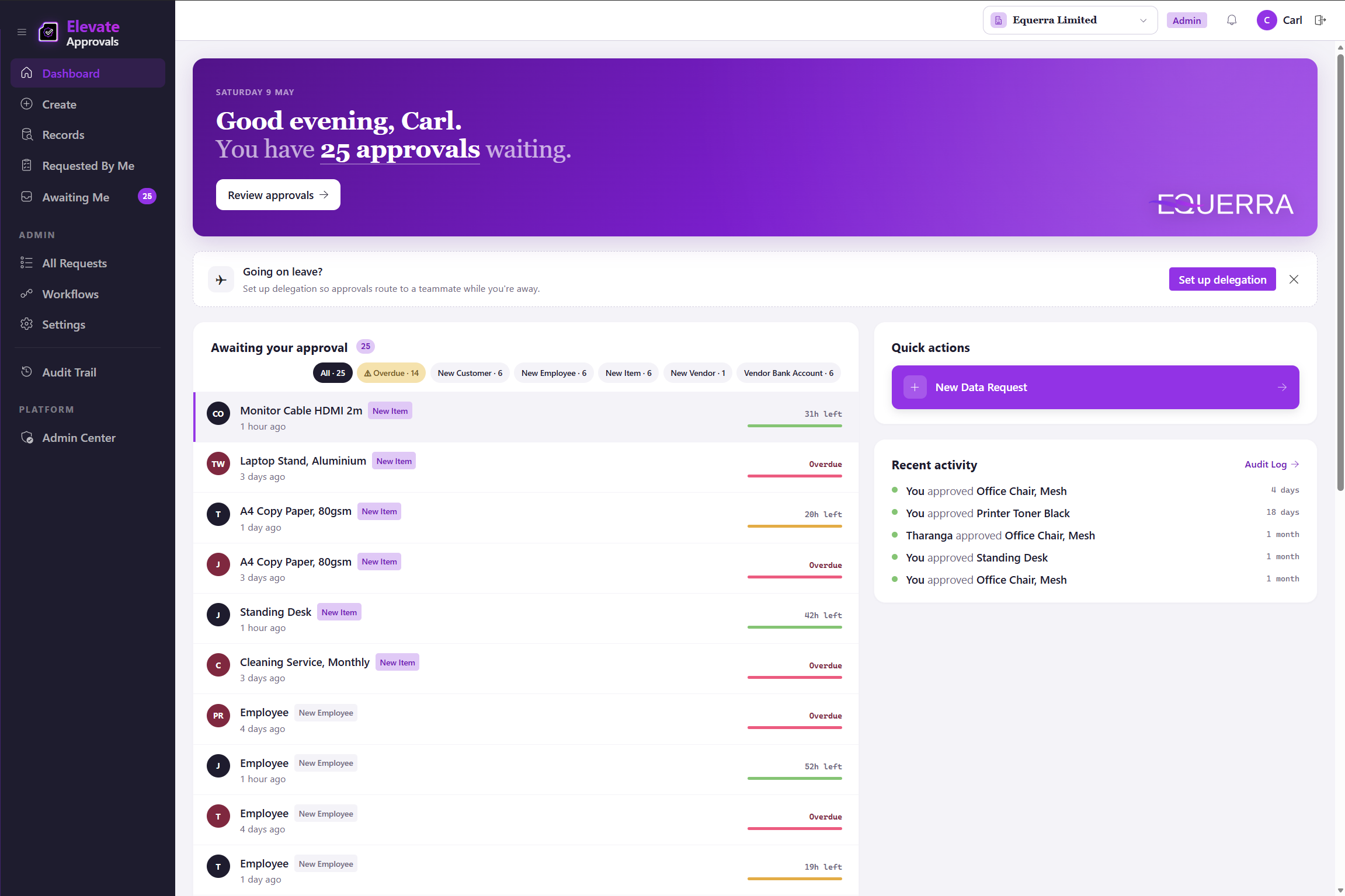
Design the record once, drop it in front of a requestor, and let the counterparty fill anything they own. The submission is the start of the trail.
Duplicate detection runs on the form before the request enters the workflow: exact match (block or warn), normalised name, and substring. The four modes are documented under the form builder on the product page.
Open the drag-and-drop form builder and lay out the fields the record needs. Vendors, customers, employees, fixed assets, items, journals, anything you nominate. Mark the sensitive fields. Set required, conditional, and counterparty-visible flags. There is no record-type cap and no scripting.
An internal user opens the form, fills the fields they own, and submits. Elevate Approvals routes the request, notifies the right approver, and posts a status the requestor can track. No email relay, no shared inbox, no spreadsheet copy-paste.
When a counterparty step applies, the supplier or customer opens one secure link and completes their portion. No login. The form arrives back in the workflow with the counterparty fields populated.
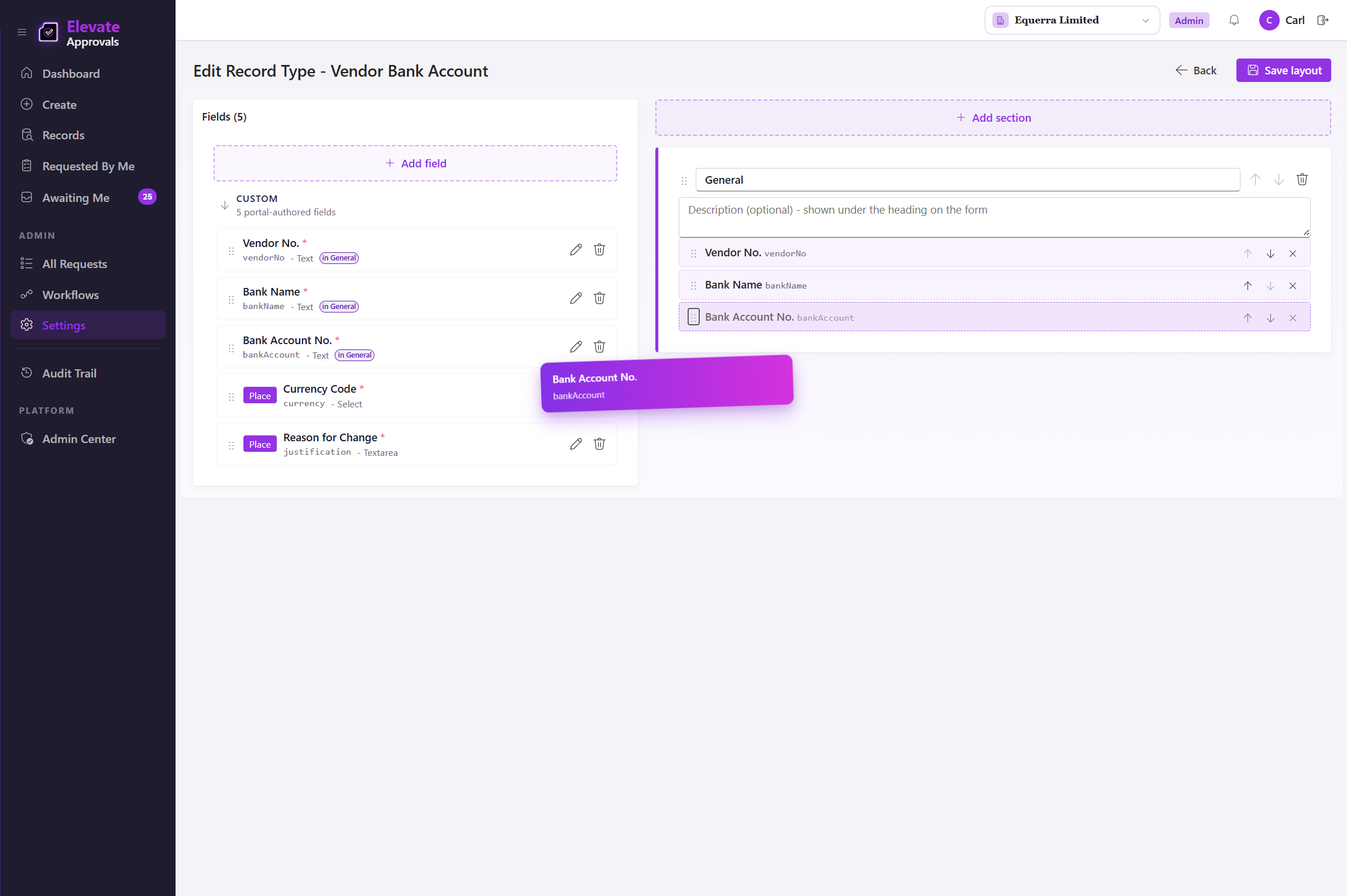
Routes for who approves. Conditional aspects layered on top for when. Four-eyes as a workflow-level control when one signature is the wrong control. Configured once, enforced every run.
The same routing engine is documented under the workflow engine on the product page, alongside the form builder, counterparty surface, and bypass detection that surround it. Group, quorum, conditional, and field-routed routes are part of the Advanced Workflows add-on; single-approver and four-eyes ship on every plan.
Sequential ordering is a property of any workflow, not a separate route: steps run in the order you define, and out-of-office delegation fires automatically without breaking the audit trail.
One named approver clears the request. The simplest path, used for low-risk record types where one signature is enough.
Any member of a Microsoft Entra ID group can approve. The first to act clears the queue. Useful for shift-based finance teams or on-call procurement.
Every member of the named group has to approve before the step clears. Used where every named stakeholder needs to sign.
A configurable number of approvers from a group must approve before the step clears. Two of three, three of five, the threshold is yours.
And/or parameter logic that branches the workflow into one or many downstream steps. A NZD 5,000 vendor request and a NZD 5,000,000 vendor request can take different paths from the same form.
Send the request to a different approver depending on the value of a field on the record: department, region, entity, currency, anything you nominate.
A workflow-level control. When the requestor is also configured as an approver, the engine forces a second authorised approver, so the requestor is never the sole signature. Optional on any workflow you nominate.
Approvers approve, reject with a mandatory comment, return for rework, or delegate. Four-eyes excludes the requestor on the workflows you nominate. Every action lands in one immutable record.
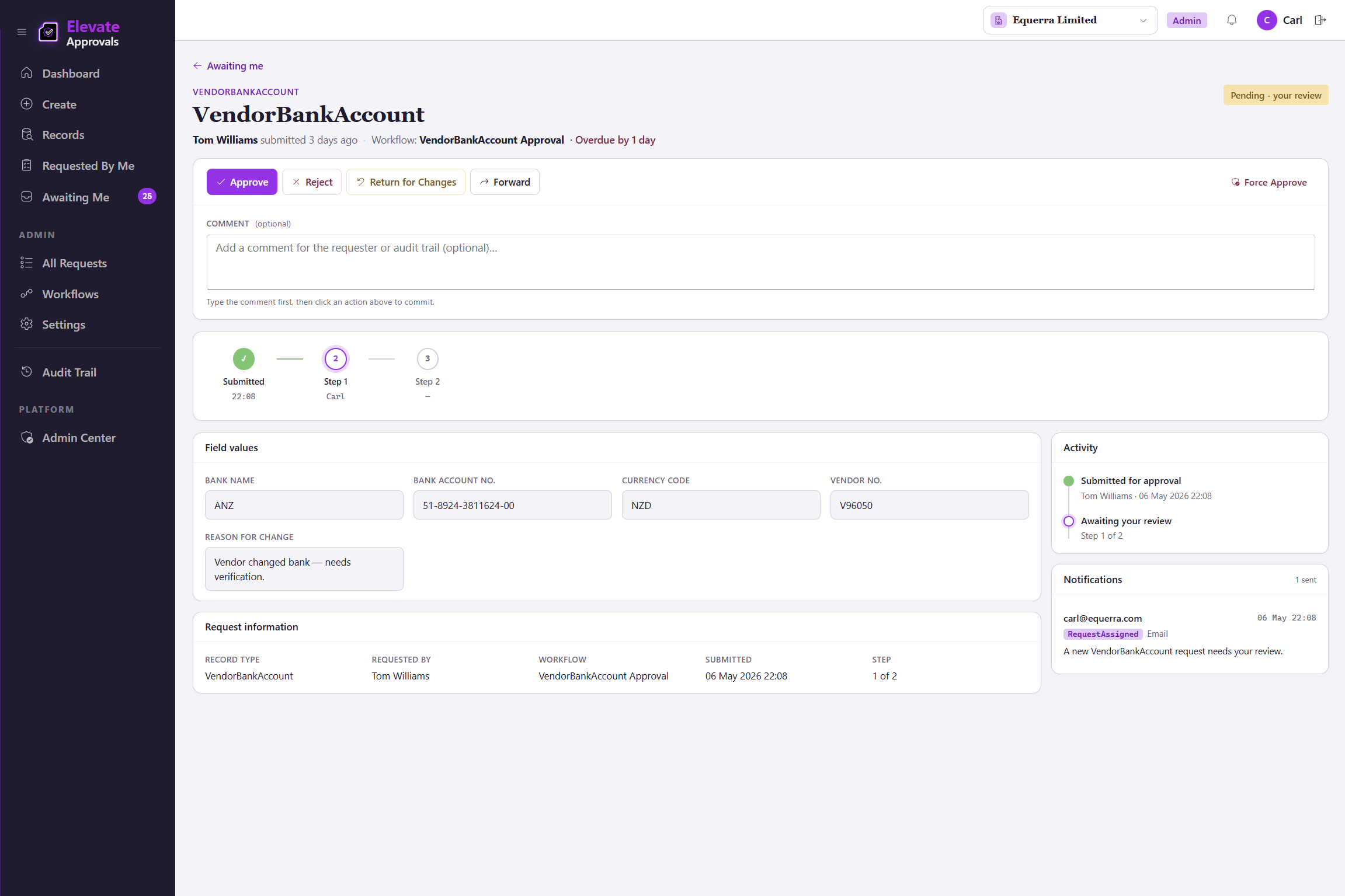
Where requestors submit, approvers approve, and admins configure. One sign-in covers every company in a multi-company environment, scoped to the entities and approvals you grant. Microsoft Entra ID single sign-on. Role-based access. Counterparty forms run on a separate, scoped surface with no tenant access.
Holds the workflow definitions, the queues, and the audit log. Routes requests, enforces four-eyes when the requestor is also configured as an approver, fires delegation, and writes every step to an immutable record.
A native Business Central extension for read and write-back. REST APIs and webhooks for everything else. Bring your own orchestration with Microsoft Power Automate, Make.com, or an in-house broker if you prefer. See the full integrations picture.
Designs record types, builds workflows, manages users, and configures Microsoft Entra ID groups and role-based access.
Reviews waiting items, approves or rejects with full context, delegates when out of office, and signs the audit trail.
Submits a request from the portal, tracks its status through the workflow, and answers questions from approvers.
Opens one secure link, completes the fields nominated for them, and submits. No account, no login, no email attachment.
Time-stamped, attributed, immutable, exportable. The reason finance teams sleep at night, and the reason auditors close the question on the first pass.
The trail is the artefact a security review actually opens. The operational controls behind it (tenant isolation, encryption, append-only logging) are listed in full on the security page.
Every action carries the moment it happened.
Every action carries the person who took it.
Nothing can be edited after the fact, by anyone.
Hand the trail to an auditor in one click.
Approvals attract scope. The platform is opinionated about what you should not have to maintain in-house.
Workflows are configured in a visual builder. No Power Fx, no JavaScript, no AL code for the approval logic itself.
The Business Central extension is shipped, signed, and updated by Elevate Approvals. Your AL developers are free to work on what only they can.
No fragile chain of Microsoft Power Automate steps wiring SharePoint lists to your ERP. The approval lives in one platform with one audit trail.