The requester never approves their own request.
A segregation-of-duties rule, applied to any workflow. When the requester also sits in the approval chain, Elevate Approvals routes around them automatically. Time-stamped, attributed, and immutable end to end. Included on every Elevate Approvals plan.
What four-eyes means.
A glossary-ready, named-entity definition. Built so an auditor, a controller, or a board member can read it once and recognise the control they are asking for.
The four-eyes principle is a workflow-level segregation-of-duties rule: when the person who raised the request is also configured as an approver on that workflow, four-eyes forces the request to a second authorised approver so the requestor is never the sole signature. The rule attaches to the workflow, not to a single field, and applies on every run, every time, with no exceptions to chase.
Four-eyes is optional on any workflow you nominate: vendor records, customer credit limits, employee bank details, GL accounts, fixed-asset disposals, anywhere one person acting alone would be the wrong control. In Microsoft Dynamics 365 Business Central, native approvals cover field changes on existing records but stop short of record creation and counterparty-facing forms. Elevate Approvals applies four-eyes across both, and captures the requestor, the second approver, the timestamp, and the original and proposed values in an immutable log. The same trail satisfies external auditors, the OAIC, and the NZ Privacy Commissioner.
Four-eyes ships on every Elevate Approvals plan. You configure it per workflow; no add-on, no enterprise tier, no upgrade conversation.
Not a field-level toggle
Four-eyes is configured at the workflow level, not bolted to a single field. You nominate the workflow; the rule applies to every request that runs through it.
Not the same as quorum
Quorum routes a step to a group and requires X of N approvers to act. Four-eyes is a separate rule: when the requestor is also configured as an approver, four-eyes forces a second authorised approver so the requestor is never the sole signature.
Not on by default
You decide which workflows enforce it. Routine, low-risk approvals route as normal. Four-eyes layers on the workflows where one signature is the wrong control.
Five workflows where one signature is not enough.
Four-eyes is configurable per workflow, not bolted to a single field. These five are the workflows where most operational risk sits, and where most regulator and auditor questions land first.
Vendor bank account
A new bank account, or a change to an existing one, is the most common attack path on a finance team. The requester is excluded from approving, and a second named approver sees the original and proposed values side by side.
Customer credit limit
New limits and limit increases route to an independent approver, with the credit-bureau attachment, the trade references, and the requesting context all in view. The person asking for the limit cannot be the person granting it.
GL master records
New ledger accounts, dimension values, and posting groups are gated. The requester cannot self-approve. Master data integrity starts at creation, not at the month-end reconciliation.
Employee bank details
A change to an employee bank account routes to payroll plus an independent approver, never the requester. Internal payroll-redirect fraud meets the same gate as external vendor fraud.
Asset records
Capital expenditure adds and disposals are signed by an approver who did not raise the request, with the supporting documentation captured in the workflow rather than emailed around it.
Four-eyes is a Base feature. It ships on every plan, on every workflow you nominate. See pricing for the rest of the picture.
Regulators caught up. Boards followed.
Three drivers, two jurisdictions. Four-eyes is one of the named controls each of them is asking for.
Privacy Act 2024 amendments
The Privacy Act 2024 amendments raised maximum penalties for serious or repeated interferences with privacy to AUD 50 million, three times the value of the benefit obtained, or 30 percent of adjusted turnover, whichever is greater. Boards have started reading approval logs the way they read financial statements.
Privacy Act 2020, IPP 3A from 1 May 2026
IPP 3A requires agencies that collect personal information indirectly to take reasonable steps to make individuals aware of the collection, the purpose, and the recipients. Supplier and customer onboarding now needs a documented, defensible record of consent and purpose. The audit trail behind a four-eyes gate provides it.
Business email compromise losses
Vendor bank-account fraud, the most common business email compromise pattern, cost Australian businesses AUD 84 million in reported losses last year. The average incident was AUD 55,000; a single case reached AUD 813,000. Four-eyes on the supplier-onboarding workflow, with the bank account captured from the supplier directly, is one of the controls that closes the gap.
One rule, configured once, enforced every run.
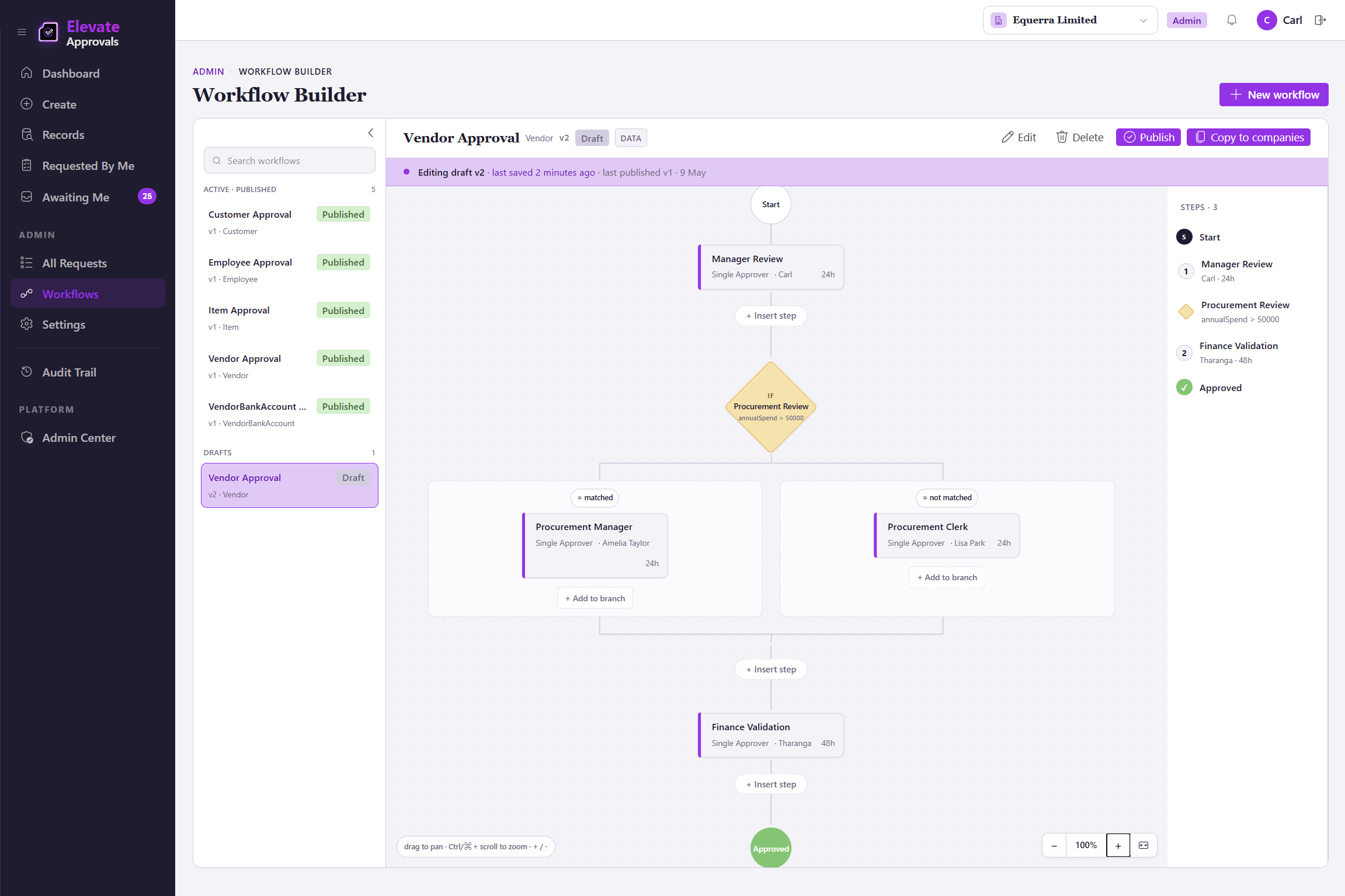
Four-eyes is a property of the workflow, not a separate step you bolt on. Elevate Approvals reads the rule, reroutes the request when the requestor is also configured as an approver, and writes the second approver into the same audit trail.
Nominate the workflow
Switch four-eyes on for the workflows that need it: vendor onboarding, customer credit limits, employee bank details, fixed-asset disposals. Routine workflows route as normal; nominated workflows enforce no-self-approval on every run.
Second authorised approver
When the requestor is also configured as an approver on the nominated workflow, the engine excludes them and routes to a second authorised approver. Out-of-office delegation propagates without breaking the rule.
Both names, both timestamps
The requestor, the second approver, the timestamps, and the original and proposed values land in the same immutable log. The trail an auditor opens is the trail the engine wrote at the time, never an export reconstructed afterwards.
Four-eyes governs what happens inside the workflow. Bypass detection catches the cases where an ERP record was changed without the workflow running at all, for example an ERP-side override that updates a vendor bank account directly. See the product page for the canonical bypass coverage.